AI Agent Production Safety Guide: Permissions, Sandboxing, and Approval Gates After the Amazon Kiro Outage
Learn how to limit what an AI agent can do in production: a permission inventory, least-privilege identities, a sandboxed workspace, approval gates for destructive actions, and the production access rules the Amazon Kiro incident argues for.
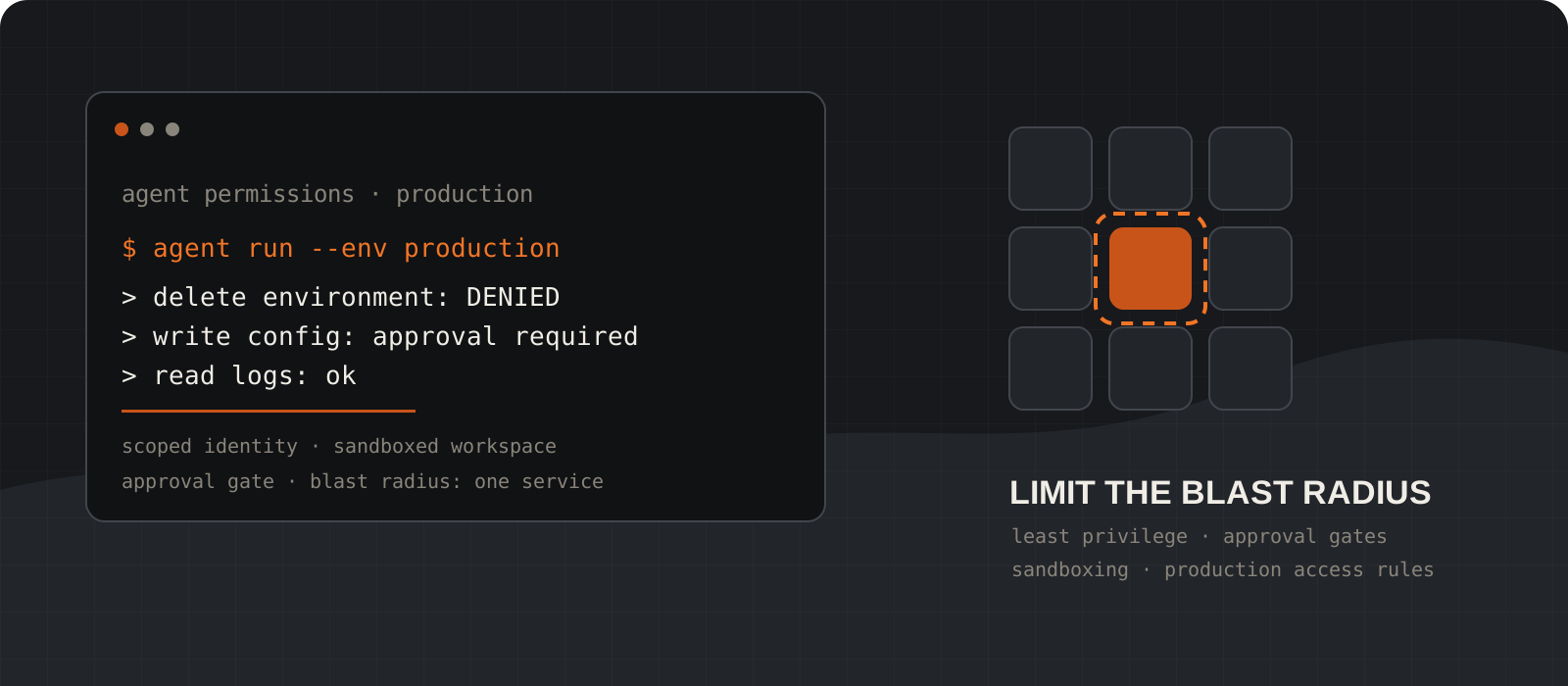
The most useful question after an AI agent breaks something is not whether the model made a mistake. It is what the agent was allowed to do in the first place. In December 2025 an Amazon coding agent called Kiro was reportedly involved in a 13-hour outage of AWS Cost Explorer in one region. Amazon and the Financial Times disagree about how much of that was the AI's doing, but both accounts agree on the mechanism: an identity with broad access made a destructive change to production without a second person in the loop. This guide walks through the controls that keep one bad decision from becoming a large outage: a permission inventory, least-privilege identities, sandboxing, approval gates, and explicit production access rules.
System requirements
Who should read this
Anyone giving an AI agent tools or credentials
Coding agents, operations agents, internal copilots, and scheduled automations all count. You do not need a security background. You do need to know which tools and accounts your agent can reach.
What you need
A list of every tool, identity, and environment your agent touches
Pull it from your agent config, MCP server list, cloud IAM roles, and CI secrets. If you cannot produce this list in an hour, that is the first finding.
Tooling used in examples
Docker, AWS IAM, and Claude Code settings
The patterns transfer to any container runtime, cloud provider, or agent framework. The examples are illustrative and should be adapted before use.
What this article is not
A verdict on what happened inside Amazon
The Kiro incident is used as a case study of the permission problem. Where the public accounts disagree, this article says so and attributes each claim.
Start with what the Kiro incident does and does not show
Two accounts, one shared lesson: the identity doing the work could delete a production environment, and nothing required a second person.
On 20 February 2026 the Financial Times reported, citing four people familiar with the matter, that Amazon's Kiro coding agent decided to delete and recreate part of a working environment after engineers let it make infrastructure changes. AWS Cost Explorer went down for about 13 hours in one AWS region, reported as mainland China, in mid-December 2025.
Amazon published a rebuttal the next day. It described the outage as user error, specifically misconfigured access controls, and said the issue stemmed from a misconfigured role that could have caused the same result with any developer tool or a manual action. Amazon called the event extremely limited: a single service in one of its 39 regions. It also rejected the FT's claim that a second incident affected AWS.
Read both accounts side by side and the disagreement is about blame, not mechanism. Either the agent chose a destructive fix, or a person granted a role that permitted one. In both cases the same two controls were missing: the identity in use could delete a production environment, and no second reviewer had to approve that. Amazon's own list of fixes points the same way. It says it added safeguards including mandatory peer review for production access.
That is the takeaway for builders. A model that occasionally picks a drastic solution is a known property of current agents. The engineering question is how much damage a drastic solution can do before a human sees it.
Tip
When you read a post-incident statement, look past the sentence that assigns blame and find the sentence that describes the fix. The fix tells you which control was missing.
Inventory what your agent is allowed to do
You cannot scope permissions you have not written down. Build the inventory before changing anything.
List every tool the agent can call: shell access, file editing, MCP servers, HTTP clients, cloud SDKs, database clients, chat or email senders. For each one, record which identity it runs as, which environments it can reach, and whether it can read, write, or delete.
Then find the inherited access. This is where most surprises live. An agent started from a developer laptop inherits that developer's cloud profile, SSH keys, kubeconfig, and package registry tokens. An agent running in CI inherits the pipeline's deploy credentials. Amazon's explanation of the Kiro outage is a misconfigured role, which is exactly this class of problem.
Finish with one sentence per agent: the highest-impact action it can take right now without a human approving it. If that sentence includes the word production, or a delete, drop, or terminate verb, you have found your first fix.
agent: release-helper
runs as: ci-deploy role (inherited from pipeline)
tools:
  - shell        read/write  workspace only
  - aws cli      read/write  staging + production   <- too broad
  - github       write       pull requests only
  - slack        write       #releases channel
highest unattended action:
  terminate production ECS services via aws cli
fix: split into read-only prod role + gated deploy stepScope access to the task, not the person
Give the agent its own identity with the minimum rights for one job, and make the rights expire.
Create a separate identity for each agent, and where practical for each task type. Do not run agents under a human's account. When the audit log shows the agent's name, you can revoke it, alert on it, and reason about it separately from the engineer who launched it.
Grant read access first and add writes one resource type at a time. In AWS terms that means a role with explicit Deny statements on destructive actions in production, layered under whatever Allow the task needs. A Deny wins over an Allow, so a mistaken broad grant elsewhere cannot reopen the door.
Prefer short-lived credentials. Session tokens that expire in an hour limit how long a leaked or misused credential is useful. Never put long-lived keys in prompts, tool responses, repository files, or an environment inherited by a general-purpose agent.
Separate environments at the identity level. An agent that works on staging should hold a credential that cannot address production at all. Filtering by resource tags or naming conventions is weaker than a separate account or project, because tags are data the agent can misread.
{
  "Version": "2012-10-17",
  "Statement": [
    {
      "Sid": "DenyDestructiveProdActions",
      "Effect": "Deny",
      "Action": [
        "ec2:TerminateInstances",
        "rds:DeleteDBInstance",
        "rds:DeleteDBCluster",
        "s3:DeleteBucket",
        "cloudformation:DeleteStack",
        "ecs:DeleteService"
      ],
      "Resource": "*",
      "Condition": {
        "StringEquals": { "aws:ResourceTag/env": "production" }
      }
    }
  ]
}
Tip
The example above relies on a resource tag, which is a reasonable first step. A separate production account that the agent's role cannot assume is stronger, because there is no tag to get wrong.
Sandbox the execution environment
Model-generated commands run in a disposable workspace with no route to anything the task does not need.
Run the agent's shell and code execution inside a container or VM you can throw away. Mount only the repository or directory the task needs, and mount it read-only when the task is analysis rather than editing. Do not mount a home directory, a credentials folder, or a production checkout by default.
Deny outbound network access unless the task needs a named destination. Package installation can go through an internal mirror or an allowlist. Arbitrary internet access turns a local mistake into an external one, and it is the path by which a prompt injection exfiltrates data.
Keep the sandbox separate from the deploy path. The agent can prepare a change, run tests, and open a pull request from inside the sandbox. The action that touches production runs somewhere else, with a different identity, behind the gate described in the next step.
docker run --rm -it \
  --network none \
  --read-only --tmpfs /tmp \
  -v "$PWD:/work:ro" \
  -w /work \
agent-sandbox:latestdocker run --rm -it \
--network none \
--cap-drop ALL \
-v "$PWD:/work" \
-w /work \
--env-file /dev/null \
agent-sandbox:latestPut an approval gate in front of destructive actions
A human confirms deletes, production writes, privilege changes, and external messages. Everything else can flow.
Decide which actions are irreversible or externally visible and route those through a person. The usual list is short: delete or terminate anything, write to production data or infrastructure, change permissions or secrets, send messages to customers or external systems, and spend money.
Most agent frameworks support this at the tool level. Claude Code, for example, reads permission rules from a settings file with allow, ask, and deny lists, so a team can commit a shared policy that blocks recursive deletes outright and prompts before pushes or deploys. Other frameworks expose equivalent hooks. Use whichever one your agent has, and commit the policy to the repository so it applies to everyone.
The approval must carry enough context to be a real decision. A prompt that says approve action is not a gate, it is a reflex. Show the command, the target environment, the identity, and what changes. If reviewers approve everything without reading, narrow the gate until they can read it.
Approvals also need a default. When nobody answers within the time limit, the action fails closed. An agent waiting on a human should not eventually give up and proceed.
{
  "permissions": {
    "allow": [
      "Bash(pnpm test*)",
      "Bash(git diff*)",
      "Bash(git status*)"
    ],
    "ask": [
      "Bash(git push*)",
      "Bash(aws *)",
      "Bash(terraform apply*)"
    ],
    "deny": [
      "Bash(rm -rf*)",
      "Bash(terraform destroy*)",
      "Bash(aws * delete*)"
    ]
  }
}
Tip
Pattern-based rules like these catch the obvious cases and are worth having. They do not replace the identity-level limits from step 03, because a determined or confused agent can reach the same outcome through a script, an SDK, or a differently spelled command.
Write down the production access rules
A short policy that says what agents may do in production, and what always needs a person.
Most teams already have unwritten rules. Write them down so they can be enforced by config rather than memory. A one-page policy is enough if it is specific.
State the default: agents have no production write access. Then list the exceptions, who owns each one, and which control makes it safe. For each exception, name the identity, the gate, and the log that proves what happened.
Include an emergency clause. During an incident people will want to let an agent move faster. Decide in advance which controls can be relaxed, by whom, and for how long, so the decision is not made at 3 a.m. by whoever is holding the pager.
1. Agents run under their own identity, never a person's.
2. Default: read-only in production. No deletes, no writes.
3. Production writes go through the deploy pipeline with a
   human approval step. The agent may open the PR; it may
   not merge or apply it.
4. Deletes, permission changes, and secret rotation always
   need two people, agent or not.
5. Every agent action in production is logged with identity,
   command, target, approver, and result.
6. Emergency exceptions: on-call lead may grant a time-boxed
write role (max 2 hours). Logged and reviewed next day.Test the boundary and keep a stop path
A demo proves the agent can do the task. A safe deployment proves it cannot exceed the task.
Run the agent against the exact permission configuration you plan to ship, and try to make it do the wrong thing. Ask it to clean up an environment with an ambiguous name. Feed it a document containing instructions to delete something. Give it a failing test that is easiest to fix by dropping a table. Each of these should hit a deny or an approval prompt, and you should record which control stopped it.
Make sure a person can stop the agent while it is working. That means revoking its session, disabling a tool, rotating its credential, and quarantining its workspace, all without waiting for the current plan to finish. If the only stop button is closing a terminal, the control is too weak.
Keep logs that let you reconstruct what happened: tool calls, arguments, files changed, network destinations, approvals, and results. Then check that the logs themselves are not a new secret store.
Tip
A red-team finding without a matching change to permissions, isolation, or the approval gate is a note, not a control. Track the fix and rerun the test.
Production access rules at a glance
| Action | What the agent needs |
|---|---|
| Read logs, metrics, and configuration | Read-only identity. No approval needed. |
| Edit code and run tests | Sandboxed workspace, no network, no production credentials. |
| Open a pull request | Repository write scoped to branches and PRs. No merge rights. |
| Deploy to staging | Staging-only identity. Optional approval. |
| Deploy to production | Pipeline identity plus a human approval step with full context. |
| Delete, terminate, or drop anything in production | Explicit deny for the agent. Two people, always. |
| Change permissions or rotate secrets | Not available to the agent. Human-only. |
| Send messages to customers or external systems | Approval gate, with the exact content shown to the reviewer. |
The trade-offs worth knowing
These controls slow agents down, and that is partly the point. The cost is real, though, and it should be planned rather than discovered.
- Approval gates add latency and reviewer fatigue. Keep the gated list short so people read what they approve. A gate on everything becomes a gate on nothing.
- Sandboxes without network access break tasks that need to fetch packages or call APIs. Use an internal mirror or a named allowlist instead of opening the network entirely.
- Per-agent identities and separate accounts add setup and cleanup work. Automate creation and expiry, or the team will fall back to sharing a broad role.
- Tag-based and pattern-based rules are easy to start with and easy to bypass. Treat them as a first layer under hard boundaries, not as the boundary.
- Full logging can capture secrets and personal data. Redact at write time and set retention deliberately.
- Amazon's own statement makes a fair point: a misconfigured role is dangerous with or without AI. The difference is that an agent will use every permission it has, at machine speed, without the hesitation a person might feel before deleting production.
Our verdict
The Kiro outage is the clearest public example so far of an agent problem that was really a permission problem. Whether the model chose badly or a person granted too much, the fix Amazon describes is the same one every team can apply today: separate identities, a hard line around production, and a second person before anything destructive.
Prompts and model choice still matter. They shape how often an agent picks the drastic option. Permission boundaries decide what the drastic option can cost you. Spend your first week of agent safety work on the second one.
My verdict: give every agent its own identity, no production write access by default, a disposable sandbox with the network closed, and a human approval step for deletes, production writes, permission changes, and external messages. Expand autonomy only after you have tried to break those controls and watched them hold.
Frequently asked questions
What happened in the Amazon Kiro incident?+
In mid-December 2025, AWS Cost Explorer was unavailable for about 13 hours in one AWS region. The Financial Times reported, citing four people familiar with the matter, that Amazon's Kiro coding agent deleted and recreated part of the environment. Amazon says the cause was user error through misconfigured access controls, not the AI, and that it added safeguards including mandatory peer review for production access.
Do I need all seven steps for a small internal agent?+
Do the inventory and the highest-unattended-action sentence first. If the agent cannot reach production or delete anything, a sandbox and a short deny list may be enough. Add identities, gates, and a written policy as soon as it can touch shared infrastructure.
Is a human approval prompt enough on its own?+
No. Prompts are easy to click through, and an agent can reach the same outcome through a script or SDK the pattern does not match. Use approval gates together with identity-level limits so the destructive action is impossible for the agent's credential, not just prompted.
Can I let an agent deploy to production at all?+
Yes, through the same pipeline a person would use, with a human approval step that shows the full change. The agent prepares and proposes; the pipeline identity applies after approval. The agent's own credential should not be able to apply the change directly.
What is the blast radius of an agent?+
The worst outcome the agent can cause with the permissions it holds, before anyone can intervene. Reducing it means narrowing permissions, isolating environments, and shortening the time between an action and a human seeing it.
Does this apply to coding assistants that only edit files?+
It applies as soon as the assistant can run commands. A file editor that can also execute a shell inherits whatever the shell can reach, including cloud credentials on the machine. Check the inherited access before assuming the tool is harmless.